


If you love Opera and currently using this awesome browser.Opera is developed by Opera Limited in 1995.Opera is lite browser as compared Google Chrome. But if you are switching to Google Chrome just because Google Chrome has better extensions store then Opera then read this post complete.In this post i’m going to show you how to download and install all Chrome extensions in Opera.
First of all you need to download and install “Install Chrome Extension” from Opera extension store developed by Opera Software.
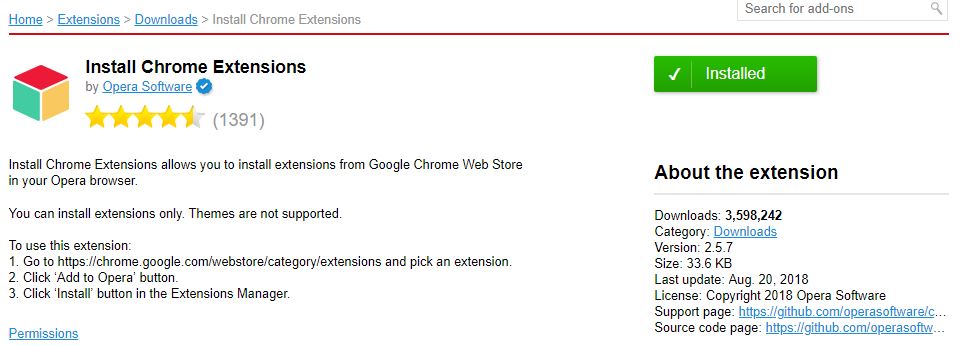
Now go at Chrome Extension Store and search extension you want to download and install.
Install Chrome Extension will automatically add option to add extension in Opera.

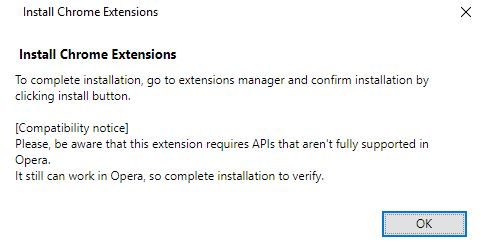
Click on “add to Opera” and this error will appear.This is not error this is popup that appear when extension is downloaded and ready to install click OK.
Now click on install button and then click on Yes,Install. if install option does not appear in your browser don’t worry just press Ctrl+Shift+E or go extension option through opera menu.You will see that extension is ready to install.
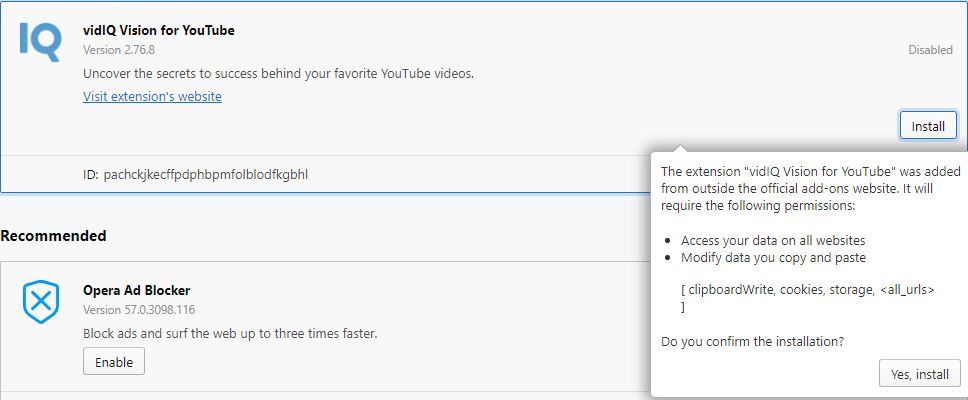
Congratulation you have successfully install chrome extensions in Opera browser from Chrome extension store.
Thanks for reading.
 TechExpertHub