

//pagead2.googlesyndication.com/pagead/js/adsbygoogle.js(adsbygoogle = window.adsbygoogle || []).push({}); Ads are simple way to advertise or promote a business through internet or any other media.There are many kinds of ads we see on internet such as Banner ads,Link ads,Popup ads, Popunder ads etc.But banner ads are best ads because banner ads show images.You can create your own banner ad using simple HTML Codes.
In this post i’ll show how to make responsive and other size ads and count number of clicks on ads.
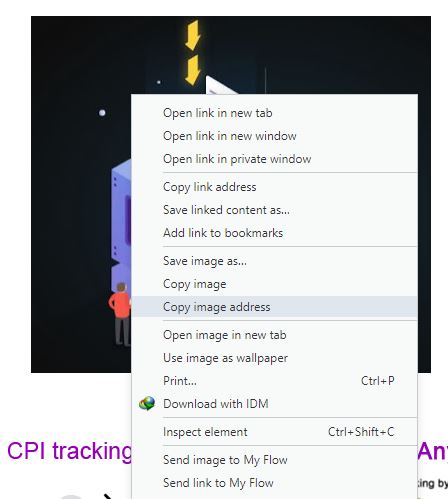
1) Upload any image and copy image address by right click on it.


//pagead2.googlesyndication.com/pagead/js/adsbygoogle.js (adsbygoogle = window.adsbygoogle || []).push({});
//pagead2.googlesyndication.com/pagead/js/adsbygoogle.js (adsbygoogle = window.adsbygoogle || []).push({});
 TechExpertHub