

As a windows user it is worst part of life is to update windows(not every time).Because sometime windows has something new in update but most of time windows update is useless that take internet package and system drive storage.Most of windows users (specially user with low internet speed) hate windows update because it took much time to update and take whole internet speed also.
So in this post i’ll show how to disable windows update (works in all windows).
1) Go to start and search Run and hit enter or press WindowsKey+R.
 As a windows user it is worst part of life is to update windows(not every time).Because sometime windows has something new in update but most of time windows update is useless that take internet package and system drive storage.Most of windows users (specially user with low internet speed) hate windows update because it took much time to update and take whole internet speed also.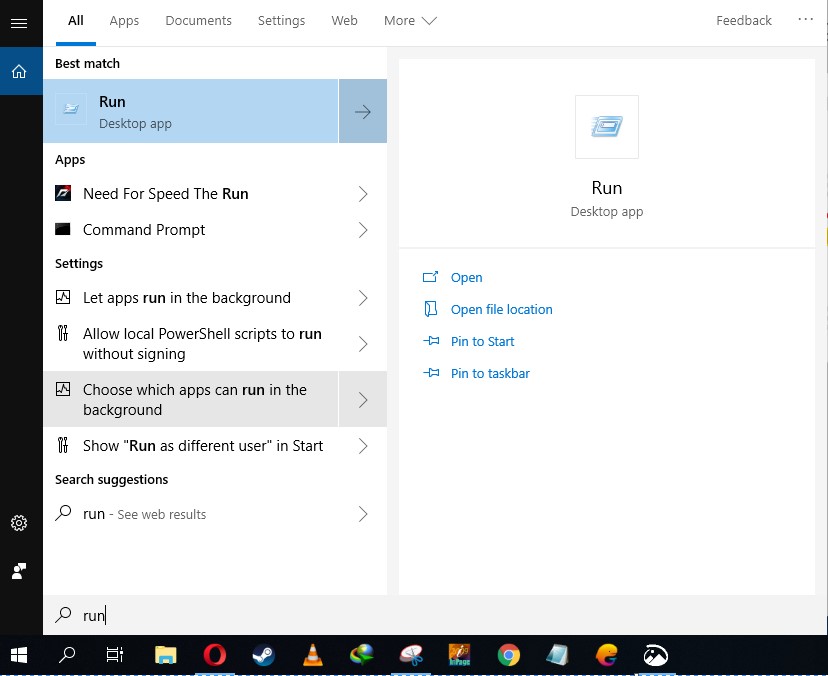
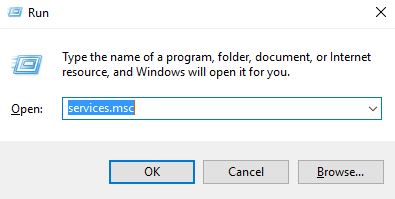
2) Type Services.msc and press enter/click on Ok.
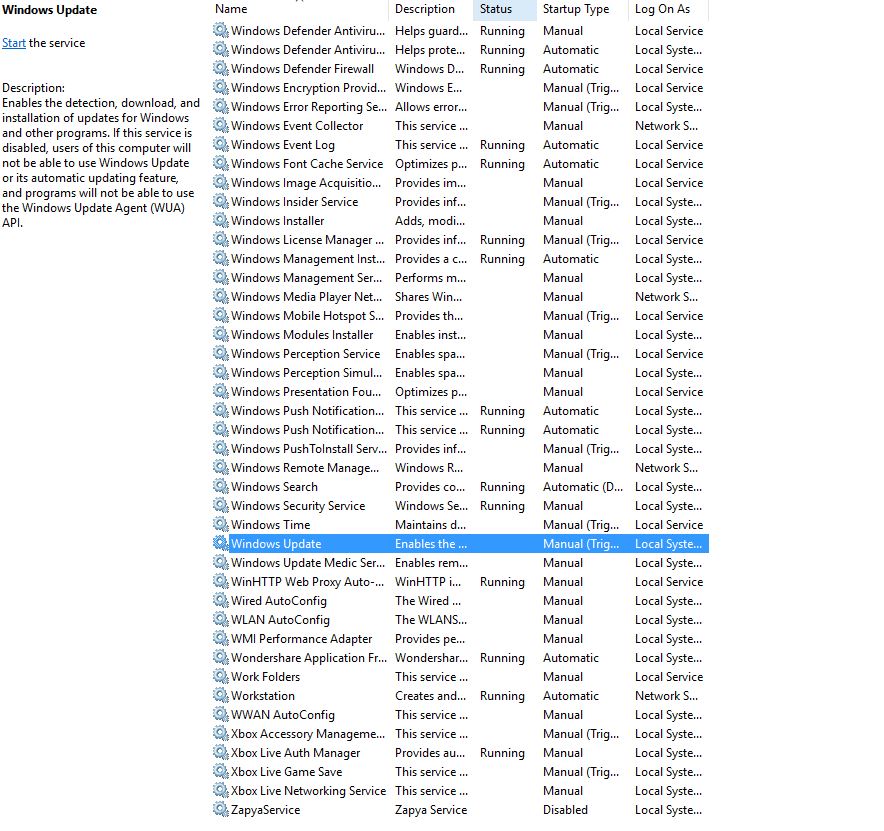
3) Find Windows Update and Double Click on it.
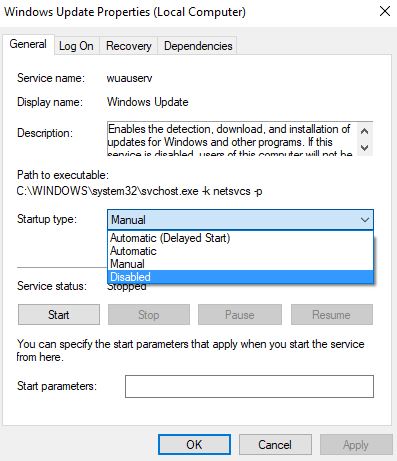
4) Chose Disable Option from startup menu and press OK.
Thanks for reading post.
 TechExpertHub